

What Is the Primary Purpose of a Wi‑Fi Analyzer?
Wi-Fi Analysis: What It Is And Why It Matters
Wi‑Fi is everywhere: in your home, office, warehouse, hotel room, and every coffee shop you visit. When it works, nobody thinks about it. When it does not, work stops, scanners fail, and meetings stall. If you are asking yourself what is the primary purpose of a wi-fi analyzer?, the short answer is: to give you clear data so you can fix those problems instead of guessing.
Whenever Wi‑Fi performance falls short of expectations, it is time for a professional Wi‑Fi analysis. For IT managers, CIOs, and operations leaders running sites in China and across the Asia‑Pacific region, that analysis is the difference between “it seems fine” and hard numbers you can use to make decisions.
“If you can’t measure it, you can’t improve it.” – Peter Drucker
A Wi‑Fi analyzer is the measurement tool for your wireless network. It turns invisible radio activity into information you can act on.
When Things Aren’t Quite Perfect
Coverage might be spotty, with dead zones in meeting rooms, corners of a warehouse aisle, or guest areas in a hotel. Signal may drop as soon as someone rolls a metal cart between an access point (AP) and a handheld scanner. Internet access can feel slow and frustrating, even when your provider delivers plenty of bandwidth on paper.
Poor Wi‑Fi is even more noticeable when you move around. Walking from your desk to a conference room, or scanning from rack to rack in a large warehouse, you might get disconnected mid‑call or mid‑pick. In a factory or logistics center, that means delays and errors; in an office, it means lost time and user complaints.
Typical user complaints include:
“The Wi‑Fi works at my desk but not in the meeting room.”
“The handheld terminal disconnects while I am picking.”
“Guest Wi‑Fi is so slow that customers give up.”
From the outside, Wi‑Fi looks simple: plug in a router and you are done. So who really needs a Wi‑Fi analysis or a Wi‑Fi analyzer? As soon as you dig deeper, you see that many independent pieces must work together: RF spectrum, channel planning, transmit power, client roaming, interference, security, and more. Any one of these can be misconfigured or overloaded.
If a network cable is pinched, cut, or damaged, it is relatively easy to test and fix. For cables hidden inside walls, we have tools to tell us where the damage is.
But how do you know where and how the Wi‑Fi is failing? That is exactly where understanding what is the primary purpose of a wi-fi analyzer? becomes important.
The Primary Purpose Of A Wi-Fi Analyzer
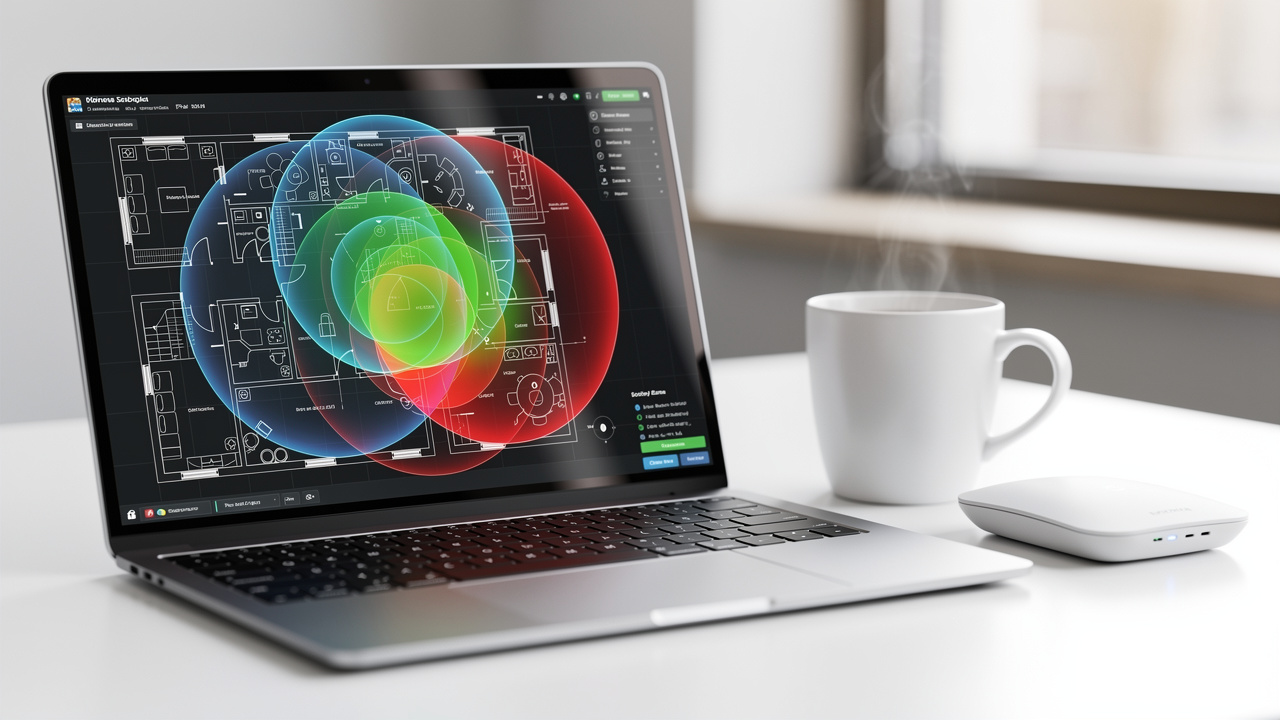
So, what is the primary purpose of a wi-fi analyzer? At its core, a Wi‑Fi analyzer measures radio‑frequency (RF) energy in the Wi‑Fi bands and turns that invisible activity into clear visual information — a function explored in depth in this comprehensive survey of Wi‑Fi analyzer tools.
A professional analyzer:
Measures signal levels from every AP it can hear, in dBm.
Calculates Signal‑to‑Noise Ratio (SNR), which compares your Wi‑Fi signal to background noise. Even a “strong” signal is poor if the SNR is low.
Shows spectrum congestion and channel overlap, especially in the crowded 2.4 GHz band where only channels 1, 6, and 11 are truly non‑overlapping.
Reveals interference sources, both Wi‑Fi (co‑channel and adjacent‑channel) and non‑Wi‑Fi (microwave ovens, cordless phones, Bluetooth, wireless cameras, industrial equipment).
In other words, the primary purpose of a Wi‑Fi analyzer is to answer questions like:
Why is this area slow, even though there is an AP nearby?
Which channels are overloaded, and which ones are clean?
Is poor performance caused by low signal, low SNR, or channel overlap?
Are neighboring networks or machinery in the plant impacting my Wi‑Fi?
By giving you an accurate view of RF conditions, a Wi‑Fi analyzer makes it possible to design, adjust, and maintain a wireless network that supports your business instead of blocking it.
“Wi‑Fi is not magic; it is radio with protocols.” – Common saying among wireless engineers
Enter The Wi-Fi Analyzer And Professional Site Surveys

A Wi‑Fi analysis, or Wi‑Fi site survey, is the structured process of walking your site with a Wi‑Fi analyzer to measure signal, noise, interference, and client experience.
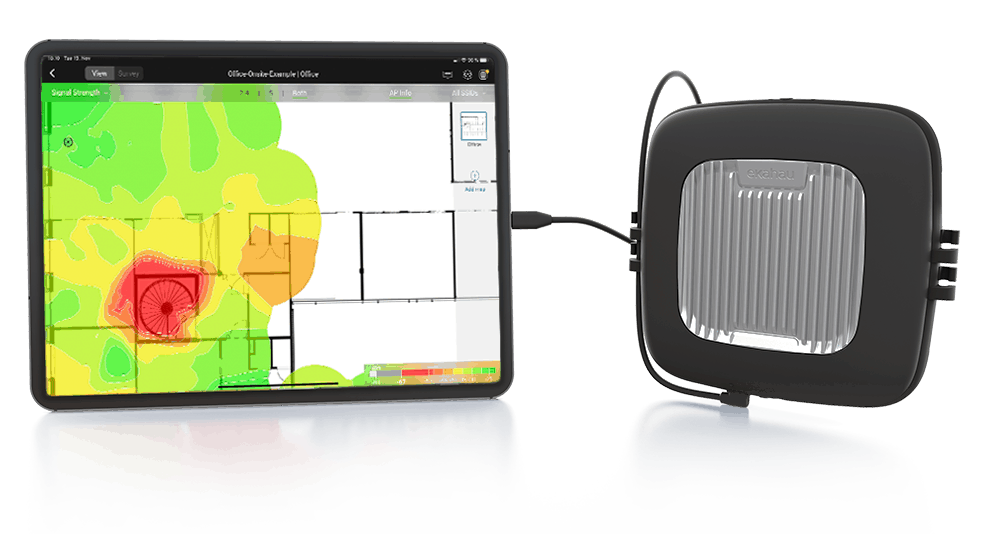
The analyzer allows us to detect:
Lack of coverage and dead zones.
Signal strength issues, such as APs that are too weak or too strong.
Noise problems that lower SNR and slow traffic, even when signal bars look full.
Co‑Channel Interference (CCI), where multiple APs share the same channel.
Adjacent Channel Interference (ACI), which is caused by overlapping channels and is often worse than CCI.
A Wi‑Fi site survey also lets us estimate the realistic throughput your Wi‑Fi devices can achieve and compare that to actual demand. Twenty designers synchronizing huge files to the cloud create a different load than twenty colleagues checking email.
During a survey, we measure not only your own Wi‑Fi access points, but also every signal coming from neighbors, tenants in the same building, and nearby shops. In an office tower, commercial center, or industrial park, dozens of networks may compete for the same air.
All of this affects your Wi‑Fi performance through:
Airtime usage (how busy each channel is)
CCI and ACI
Signal‑to‑Noise Ratio
Client roaming behavior and retransmissions
There are several technologies that support this work, and among the strongest tools on the market is Ekahau Site Survey. NETK5 engineers are certified on Ekahau and have completed Wi‑Fi analyses for clients ranging from multi‑story retail spaces and factories to small luxury boutiques.
Types Of Wi-Fi Analyzers: Software Vs Hardware
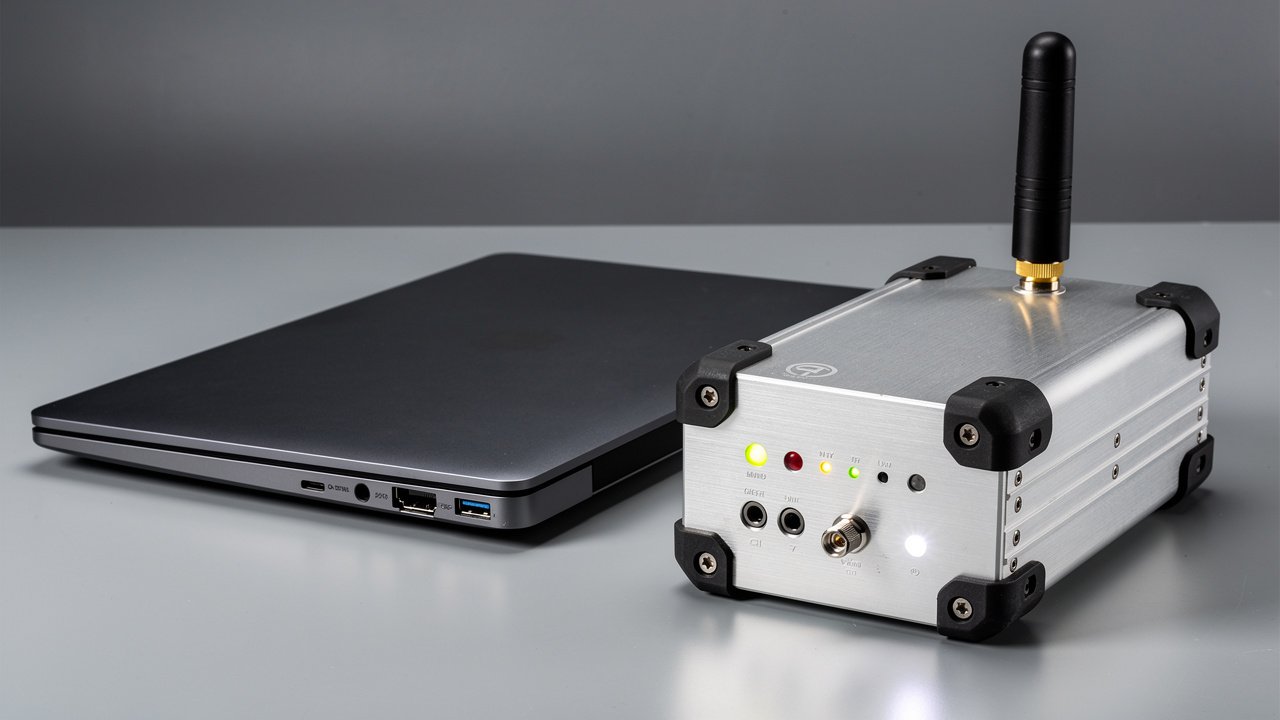
When you ask what is the primary purpose of a wi-fi analyzer?, the next question is usually “Which kind should I use?” Wi‑Fi analyzers fall into two broad groups: software‑only tools and dedicated hardware tools.
Type | Best For | Pros | Cons | Typical Tools / Examples |
|---|---|---|---|---|
Software Analyzers | Small offices, quick checks, light troubleshooting | Low cost, easy to install on laptops or phones, fast to start | Limited RF visibility, depend on device Wi‑Fi chipset, may not see all interference | NETK5 starter assessment kits, laptop tools, smartphone Wi‑Fi scanner apps |
Hardware Analyzers | Factories, warehouses, complex multi‑floor sites | High‑accuracy RF measurements, spectrum analysis, packet capture, better SNR and channel details | Higher upfront cost, require trained staff to read data | NETK5 Ekahau Sidekick‑based survey kits and other professional gear |
Software tools are helpful to see which SSIDs are nearby and which channels they use. Dedicated hardware analyzers add detailed spectrum views, show non‑Wi‑Fi interference, and give more reliable readings across 2.4, 5, and 6 GHz — capabilities examined in academic work on simultaneous all-channel Wi‑Fi measurement.
For large or business‑critical sites in China and across Asia, hardware‑based surveys provide the depth you need to make informed decisions, while software tools remain handy for quick spot checks.
Common Wi-Fi Issues Detected By Analyzers

A good way to understand what is the primary purpose of a wi-fi analyzer? is to look at the problems it uncovers.
We have seen access points mounted in ceilings and pointed straight up—great for the neighbors above, not so great for staff on the same floor. We have found APs that were malfunctioning, or left with default “Auto” settings so they all selected the same channel and jammed each other.
We have seen fifty people connected to one central AP while nearby APs sat empty, simply because roaming thresholds or power levels were wrong. In industrial sites, we have traced performance issues to old motion detectors or machinery that sprayed high‑power RF bursts across the band, effectively deafening nearby APs — a challenge documented in research on indoor Wi‑Fi interference.
Without a structured Wi‑Fi analysis and a capable analyzer, these issues are easy to miss. With one, misaligned antennas, channel overlap, wrong channel widths, poor SNR, and even hidden non‑Wi‑Fi interferers show up clearly on heat maps and spectrum views.
Some of the most frequent findings are:
APs placed for convenience, not for RF coverage.
All APs using the same channel or channel width.
Power levels set too high, causing sticky clients that will not roam.
Legacy devices stuck on 2.4 GHz, crowding already busy channels.
What Does It Take To Do A Wi-Fi Analysis?
Several tools exist to perform a Wi‑Fi analysis. Some show only real‑time signal readouts. Others produce a basic Wi‑Fi heat map so you see coverage over a floor plan. Professional tools add spectrum analysis and extensive RF metrics so you can go far beyond “signal bars.”
In practice, a complete analysis usually follows these steps:
Planning – Collect floor plans, understand how each area is used, and identify critical zones such as production lines, loading docks, and meeting rooms.
On‑site survey – Walk the site with a Wi‑Fi analyzer, capturing signal, noise, interference, and client behavior.
Off‑site analysis – Correlate RF data with your layout, usage patterns, and capacity needs.
Reporting and recommendations – Present clear findings and practical next actions.
Collecting data is only the first step. Interpreting that data—spotting what is unusual, understanding why it happens, and deciding what to change—is where experience matters. A heat map alone will not tell you whether low throughput comes from channel overlap, low SNR, or client behavior. It can even be misleading if you do not combine it with spectrum views, channel plans, and capacity analysis.
In practical terms, a full‑floor office typically takes about half a day to survey, followed by detailed off‑site analysis and a written report with clear recommendations. Large warehouses, factories, or multi‑floor sites may take longer, especially if operations must continue during the survey.
NETK5 provides all the tools and Ekahau licenses necessary for the task, along with engineers who understand both RF theory and the realities of offices, retail sites, and production environments in the Asia‑Pacific region.
What Do You Get From A Professional Wi-Fi Survey?
So you approve a survey—what do you actually receive from it, and how does that relate to what is the primary purpose of a wi-fi analyzer?
Our reports are customized to your specific layout and business needs, but they include at least:
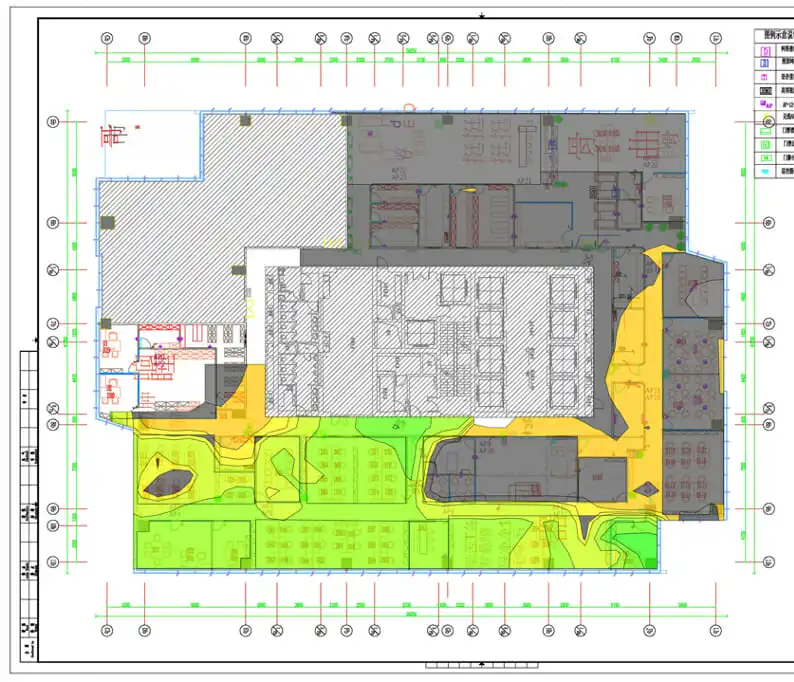
Coverage heat maps showing measured signal strength in every area.
Signal quality maps, highlighting SNR, noise sources, and both co‑channel and adjacent‑channel interference.
Channel and capacity analysis, including how many devices are loading each AP and where channel overlap is limiting throughput.
Resilience assessment that shows how coverage and SNR look if one AP fails, and where gaps appear.
Stability checks, showing packet loss, retransmission rates, and roaming behavior for mobile clients such as scanners and phones.
If we find issues in any of these areas, we point them out clearly and suggest realistic ways to improve them—often starting with configuration changes or AP relocation before proposing new hardware.
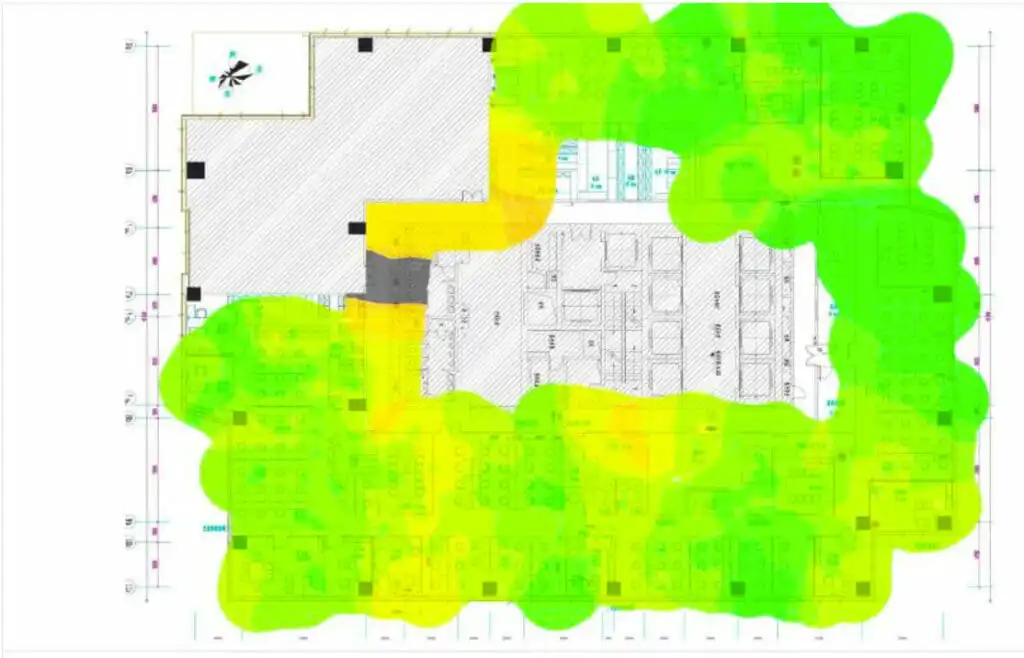
Improvements of coverage after WiFi Survey and remediation
Rather than blindly adding more APs and hoping for the best, we show exactly what is wrong and what the most effective remedies are. In many cases, adjusting AP placement, transmit power, channel width, and channel assignments solves a large share of issues with very modest spending.
Business Benefits For Operations In China And Asia-Pacific

Understanding what is the primary purpose of a wi-fi analyzer? also means understanding what it does for your business.
For IT managers, CIOs, and operations directors running sites in China and the wider Asia‑Pacific region, reliable Wi‑Fi delivers:
Higher productivity: Staff, scanners, tablets, and IoT devices stay connected, so orders, production, and logistics keep moving.
Reduced downtime and fewer tickets: Clear RF data cuts troubleshooting time and reduces repeated user complaints.
Better planning for growth: As you add production lines, expand warehouses, or open new sites, survey data guides where to place APs and how many you truly need.
Support for compliance and security goals: A survey can expose unsecured or rogue APs, misconfigured guest networks, and insecure legacy devices that may raise risk.
For finance teams, Wi‑Fi analysis also provides the evidence needed to justify targeted investments, rather than repeated ad‑hoc spending on “one more AP.”
“Network downtime is not just an IT problem; it is a business problem.” – Common view among CIOs
When To Consider Redesign Or Hardware Refresh
A Wi‑Fi analyzer will not magically fix old or poorly designed infrastructure. Part of understanding what is the primary purpose of a wi-fi analyzer? is recognizing its limits.
An analysis may show that:
Your APs only support older Wi‑Fi standards and cannot handle current device density.
Thick concrete walls, metal racks, or machinery block signals so completely that only new AP locations or additional APs can solve the problem.
The 2.4 GHz band at your site is permanently congested, so you must move more clients to 5 GHz or 6 GHz‑capable hardware.
Other good times to consider a redesign include:
Moving offices or reorganizing warehouse racks.
Adding new production lines or automation systems.
Rolling out large numbers of new mobile devices or scanners.
In these cases, the analyzer and survey report give you a clear technical and financial basis for redesigning the network or refreshing hardware—rather than guessing and hoping for improvement.
Ready To Take Control Of Your Wi-Fi?
If you are dealing with slow wireless links, dropped scanners, or unexplained dead zones across your offices, warehouses, or factories, now is the time to ask, what is the primary purpose of a wi-fi analyzer?—and then put that purpose to work for your sites.
A structured Wi‑Fi analysis by NETK5 turns invisible RF conditions into clear maps, metrics, and next steps, so your wireless network can support the way you really work across China and the Asia‑Pacific region.





 English
  Chinese